Plan useful service and city pages with accurate coverage, clear navigation and content that answers a distinct customer need.
Separate what you do from where you deliver it
A service page explains the work: the problem addressed, deliverables, dependencies and next steps. A location page explains how a customer in a particular area can engage with that work. Keeping these purposes clear helps visitors find the right information without reading the same description on many pages.
Start with a coverage inventory confirmed by the business. Distinguish remote delivery, travel-based work and a staffed physical office. These are different arrangements and should be described accurately. Do not imply that a mailing address or a city name in a heading establishes an operating office.
Create pages for real customer questions
A city page should help a visitor decide whether the service fits their situation. Explain how discovery, communication and handover work for that audience. Where the service is remote, say so. Include meaningful examples of project requirements without presenting hypothetical examples as completed client work.
Avoid producing large sets of pages that only exchange city names. Before adding a page, write its distinct purpose in one sentence. If it cannot answer anything beyond the main service page, consider whether a coverage list would serve the visitor better.
Build navigation around useful paths
A visitor might begin with a city and then explore services, or start with a service and check coverage. Provide clear links in both directions when the pages exist. Use descriptive link text so the destination is understandable before it is opened. Keep important pages reachable through navigation and related content.
Use a consistent URL pattern that the team can maintain. If existing URLs already receive visits or external links, review the effect of changing them before reorganizing the site. A cleaner-looking path is not sufficient reason to discard a useful address.
Keep claims and enquiry context consistent
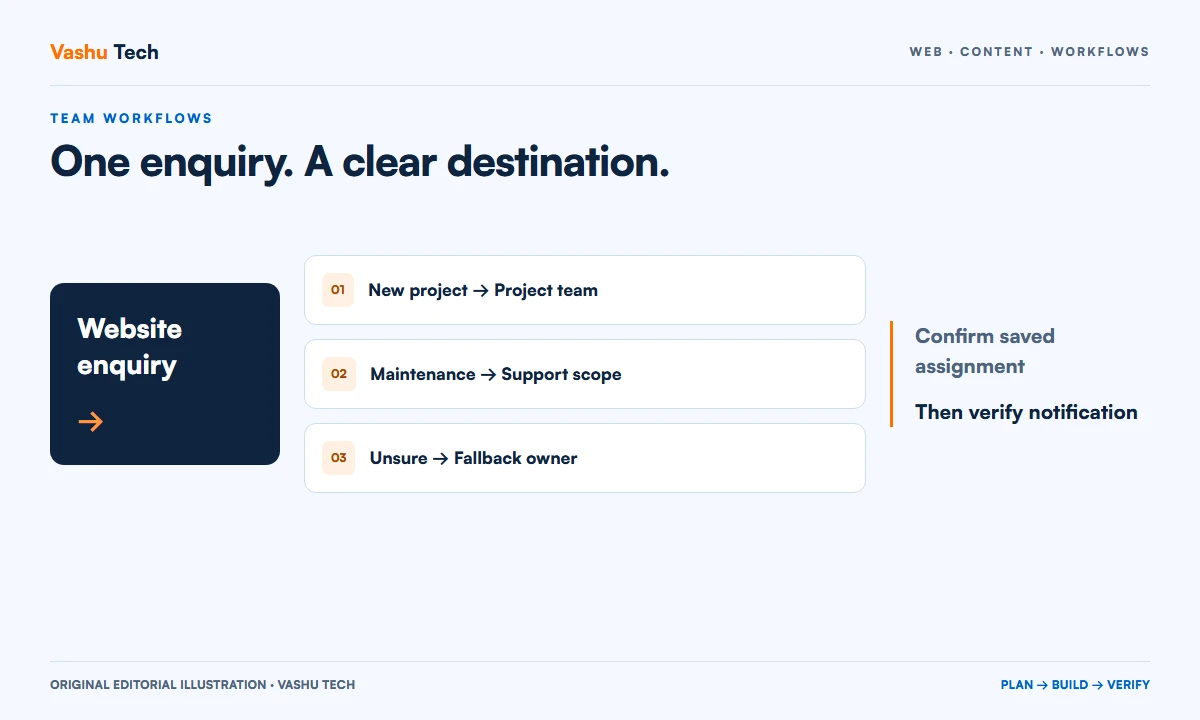
The coverage statement, page copy and enquiry form should agree. If a page invites remote projects from Chicago, the enquiry process should accept those requests and explain the next step. Do not promise local attendance, immediate availability or fixed turnaround without an operating process that supports it.
Give content owners a way to review coverage when the business changes. Removing a service area may require updates to links, forms and related pages as well as the page text. Assign responsibility so outdated claims do not remain published indefinitely.
Review the finished structure
Test a few customer journeys from the homepage, service directory, city directory and a direct page link. Confirm that each route reaches an appropriate enquiry action. Inspect page titles, headings and descriptions for distinct meaning. Google Search Central's starter guide provides background on helpful content and understandable site organization.
No page count guarantees visibility or leads. Treat the new structure as a way to explain the business accurately and support useful journeys. Vashu Tech can help map the pages and implementation work around confirmed service coverage.
Further reading
Official guidance for this topic.
Explore SEO Services or discuss your project with Vashu Tech.
Create a coverage inventory before a page inventory
List the areas the business actually serves and the delivery model for each service. A remotely delivered website project has a different relationship to place from a service requiring a visit. Record any restrictions, travel arrangements or scheduling dependencies with the person responsible for delivery. The content team should not infer availability from a list of desirable search terms.
Use the inventory to decide where detailed pages help. A national remote service may need a clear overall delivery explanation and selected city context rather than hundreds of near-identical pages. A business with materially different regional offers may need a deeper structure. Let useful differences guide the page plan and keep claims consistent with operations.
Give every city page an editorial job
Write a short purpose statement for each location page. It might explain a relevant project scenario, how a distributed team coordinates reviews or which service scopes fit a particular audience. The page should add decision support beyond a city name. Use hypothetical examples transparently when there is no approved client evidence to publish.
Separate local facts from general service advice. If an address, opening time, event or travel promise is included, establish who can verify and maintain it. Avoid invented local statistics or statements about an area's businesses merely to make copy sound specific. Clear, accurate coordination information is more useful than unsupported local colour.
Choose a structure that can grow without confusion
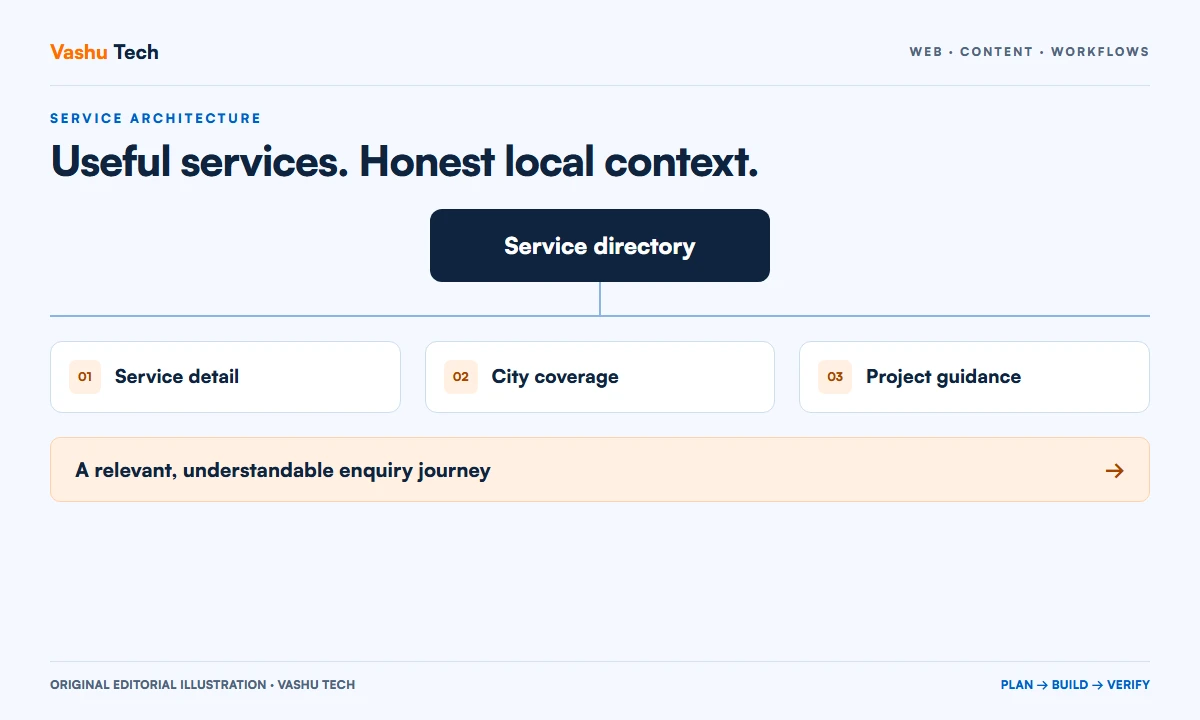
Map the relationship between service hubs, individual service pages, location pages and any combined service-location pages. Choose labels that visitors can recognize. When several routes lead to the same information, review whether they need separate pages or a single maintained destination. A coherent structure reduces the chance of contradictory content.
If an existing site is changing, record current addresses before deciding on new ones. Preserve useful URLs where appropriate and plan redirects for necessary changes. Consider navigation, internal links, sitemaps and any campaign destinations together. A URL change affects more than the address shown in the editor.
Link according to intent rather than volume
A visitor on a city page may want to compare services, understand remote delivery or ask about a project. Link to those useful destinations with descriptive text. A long list of every service and every city can make the next action harder to find. Prioritize relationships that help someone continue the task they started.
Review the return journey as well. A service page should make coverage understandable where it affects eligibility or coordination. Directory pages should allow visitors to discover the detail pages without relying on a search engine. Test a few representative paths from different entry points instead of reviewing each page as an isolated document.
Worked example: a remote consultancy serving three cities
Consider a fictional consultancy with the same underlying service in three cities. Its service page explains discovery, deliverables and exclusions. Each city page describes a relevant project situation, the remote review process and how to submit a useful enquiry. It does not imply three offices or fabricate three sets of local clients.
The enquiry retains the originating page as context but allows the visitor to explain a wider project. Staff can then confirm fit without assuming that the selected city defines the entire requirement. The resulting structure gives each page a purpose while keeping the actual service description consistent. This is a planning model, not evidence of a particular implementation.
Plan review and retirement as part of publishing
Assign an owner to confirm coverage and review content when services change. A city page can become inaccurate even if its design still looks current. Keep a record of the reason for adding it and the service links it depends on. This makes future review more concrete than simply asking whether the page is old.
When a page is no longer useful, assess its links and existing visits before deciding what happens to the address. Do not redirect unrelated locations to a destination that no longer answers the original question. Search outcomes remain separate from publication: a crawlable, useful page can be prepared, but visibility and ranking cannot be promised.
A practical review checklist
- Confirm the actual delivery model and coverage for every named area.
- Write a distinct visitor need for each proposed location page.
- Keep office, availability and client statements factually supported.
- Connect city, service and enquiry pages with relevant links.
- Review existing addresses and redirect dependencies before restructuring.
- Name the owner responsible for coverage updates and page retirement.
Questions about putting this guide into practice
Does every city need a separate page?
No. Separate pages are useful when they answer a real audience question or explain a meaningful service difference. If the only difference is the place name, a maintained coverage section may provide a clearer experience. Assess usefulness before committing to a large page set.
Can a remote business publish city service pages?
It can explain services offered remotely to businesses in those cities, provided the delivery model is clear. Avoid implying physical premises or local attendance unless those are true. The enquiry process should accept the stated audience and allow the team to confirm the requirement.
Will adding location pages guarantee more leads?
No. Page count is not a reliable promise of enquiries or search visibility. Review whether the structure explains the offer accurately and supports useful customer journeys. Any later outcome assessment needs appropriate evidence and should distinguish visits, accepted enquiries and qualified opportunities.
Plan your next step
Discuss a scoped project with Vashu Tech. Share your current website, intended audience and the specific task you want to improve. We can review the starting point, required inputs and acceptance checks before estimating the work.