
A business portal provides a defined workspace for customers, partners or staff. Plan the records each role can access, the actions they can complete and the approval rules before choosing dashboard layouts.
Vashu Tech services
Portal Development
A business portal provides a defined workspace for customers, partners or staff. Plan the records each role can access, the actions they can complete and the approval rules before choosing dashboard layouts.
Scope-ledYour requirements first
Clear estimatesBased on agreed work
Review pointsDefine acceptance checks
02
Understanding Portal Development
Custom development is appropriate when a business has a defined workflow that ordinary website settings do not express well. The first step is to describe users, records, rules and exceptions. A staff application, external API connection and small website feature may require very different solutions. PHP and Laravel can provide a server-side foundation, but technology does not replace clear permission and validation requirements. Review existing code before deciding to modernize or rebuild it. Data ownership, deployment, backups and maintenance should form part of the project discussion.
03
Problems this work addresses
Sharing records through scattered messages or spreadsheets can make permissions, version history and follow-up unclear.
04
Work stages and practical deliverables
These stages describe the discussion scope for this service. The proposal should identify which outputs are included, the information required from you and any work that belongs to a separate agreement. Review points should make it possible to check the result against the original requirement.
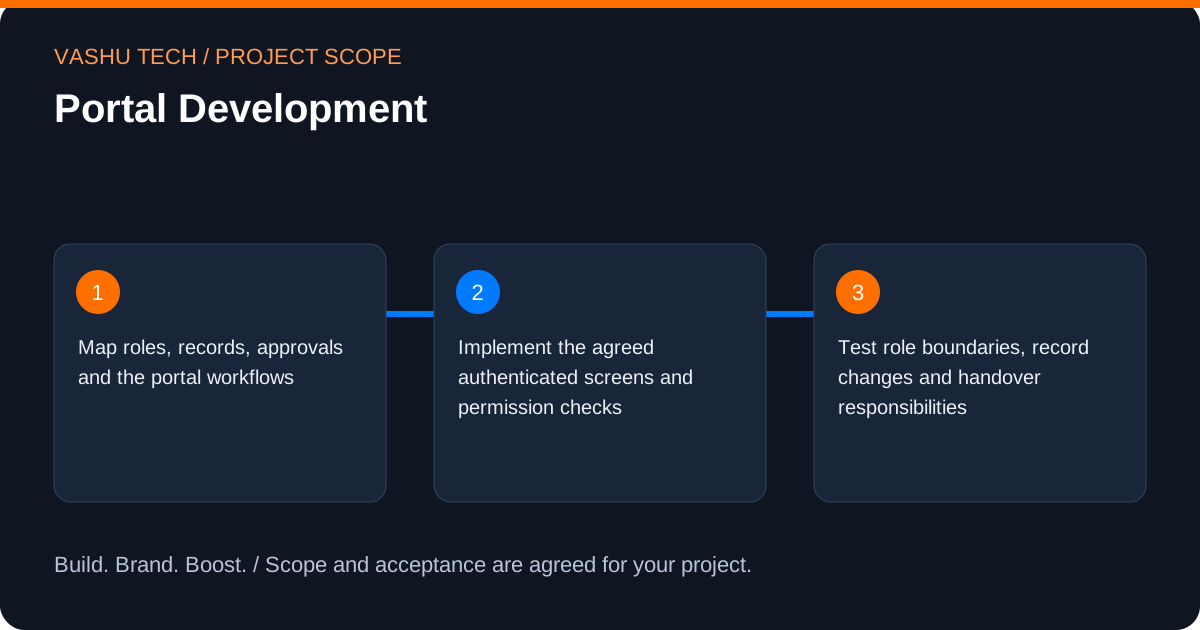
- Map roles, records, approvals and the portal workflows.
- Implement the agreed authenticated screens and permission checks.
- Test role boundaries, record changes and handover responsibilities.
05
Technical considerations and boundaries
Authorization must be enforced on the server as well as in the interface. Clarify file access, account recovery, audit needs and integrations. Sensitive data should be assessed with the business before it enters the system.
06
Business value and acceptance
The practical value is addressing this specific difficulty: sharing records through scattered messages or spreadsheets can make permissions, version history and follow-up unclear. A useful result makes the relevant journey or operational responsibility clearer. Define the acceptance checks around test role boundaries, record changes and handover responsibilities, and distinguish an implemented improvement from an unverified business outcome.
07
Pricing, timing and handover
An estimate depends on the existing environment, the amount of content or data involved and the agreed testing and access requirements. External licences, hosting and vendor subscriptions should be identified separately. Share any deadline and its dependencies so that feasibility can be assessed; this page does not promise a fixed price or delivery date.
08
Discuss your portal development requirements
Describe the current situation and the change you need. A public website link and a short explanation are enough to begin; arrange sensitive access separately. Request a scoped quote or contact Vashu Tech to discuss the next step.
09
Plan your Portal Development scope
Describe the users, records and decisions before choosing an implementation. A custom PHP or Laravel project needs clear rules for who may view or change information and what happens when an action cannot complete. Existing data, external systems and deployment constraints should be reviewed before a rebuild is proposed.
For Portal Development, start by identifying the decision or workflow you want to improve. Sharing records through scattered messages or spreadsheets can make permissions, version history and follow-up unclear. Select the tasks that address that requirement; the full category of work does not have to be included in every project.
Useful starting information includes a redacted workflow example, user roles, record types, existing application details and any available integration documentation. Public links and redacted examples are enough for an initial discussion. Account access can be arranged separately after the required permissions are understood.
10
A practical Portal Development planning example
Consider a team that moves information between a website and a business system. The brief could define the source of truth, the staff actions that need permission checks and what a pending or failed transfer should look like. The implementation should follow those rules rather than merely adding another screen.
Translate that example into a small, testable brief for Portal Development: begin with map roles, records, approvals and the portal workflows, identify the inputs needed to implement the agreed authenticated screens and permission checks, and agree how to test role boundaries, record changes and handover responsibilities. This is an illustrative planning scenario, not a client case study or a promised result.
11
Review and acceptance for Portal Development
Review permissions, input validation and representative failure cases. A demonstration using one administrator account does not show that other roles are protected. For integrations, discuss timeouts, duplicate requests and reconciliation; for migrations, agree how retained records and existing URLs will be checked.
Keep a short acceptance checklist alongside the proposal. For this scope, the review should include: Map roles, records, approvals and the portal workflows; Implement the agreed authenticated screens and permission checks; Test role boundaries, record changes and handover responsibilities. Record what was checked, which items remain open and who can approve the result. An implemented change and a business outcome are different things; neither enquiries nor sales should be assumed from a technical demonstration.
12
Handover and ongoing decisions for Portal Development
The handover can identify deployment requirements, configuration responsibilities, the main workflow rules and any agreed technical documentation. Account ownership, private credentials and future application maintenance should have named responsibilities.
Before handover, agree who owns the accounts, approves public information and handles future changes. Any maintenance, additional content, third-party subscription or ongoing campaign management should be listed explicitly in the proposal. Share an essential deadline early so dependencies can be discussed before a delivery schedule is agreed.
13
Questions about Portal Development
Answers to help you plan the scope and next steps.
Can different users see different records?
Yes, when those permissions are defined in the scope. Test each role against allowed and disallowed actions.
Does a portal need payments?
Not necessarily. Payments, subscriptions and billing are separate requirements that should be specified when needed.
What information helps scope Portal Development?
Bring a redacted workflow example, user roles, record types, existing application details and any available integration documentation. Identify your priority and which tasks you need: Map roles, records, approvals and the portal workflows; Implement the agreed authenticated screens and permission checks; Test role boundaries, record changes and handover responsibilities. Share public or redacted information first; arrange sensitive access separately.
What should be agreed at the handover for Portal Development?
The handover can identify deployment requirements, configuration responsibilities, the main workflow rules and any agreed technical documentation. Account ownership, private credentials and future application maintenance should have named responsibilities. Confirm account ownership, approval responsibilities and any ongoing support separately from the initial work.
Discuss your requirements
Plan your Portal Development project
Share your starting point and priorities. We can discuss the scope, required information and acceptance checks before providing an estimate.
Tell us about your project.
Send your requirements to our team. Please leave out passwords and confidential access details.