
Discuss UI/UX Design around the actual users, content and workflow, with a proposal that states the selected tasks and acceptance evidence.
Vashu Tech services
UI/UX Design
Discuss UI/UX Design around the actual users, content and workflow, with a proposal that states the selected tasks and acceptance evidence.
Scope-ledYour requirements first
Clear estimatesBased on agreed work
Review pointsDefine acceptance checks
02
Define the requirement
03
Scope to agree
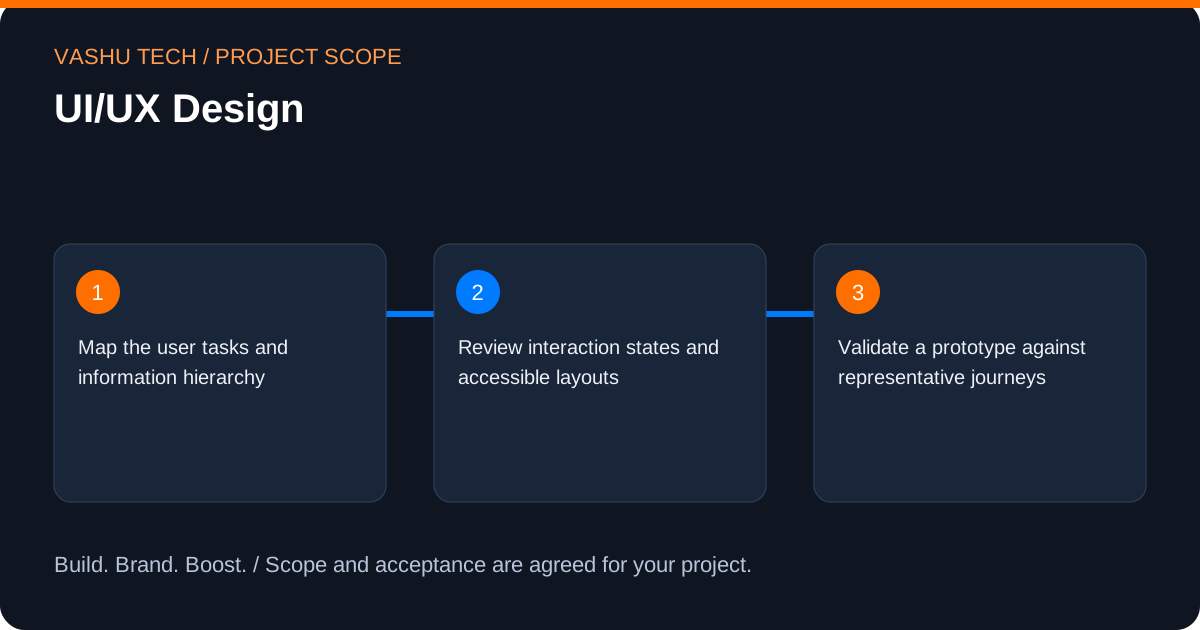
- Map the user tasks and information hierarchy
- Review interaction states and accessible layouts
- Validate a prototype against representative journeys
04
Project discussion
Share the existing site, users and intended outcome. Agree permissions, preservation of existing records, testing and ongoing ownership. Request a scoped proposal.
05
When this work is useful
Usability work starts with a user task, such as understanding a service, choosing a product or completing a request. Visual polish alone does not resolve an unclear sequence or an inaccessible control. Map the information and decisions a user needs before choosing interaction details.
06
Technical considerations and working process
Review navigation, forms, loading and error states, keyboard behaviour and responsive layouts. A prototype can clarify the proposed journey before development. Research access, participant recruitment and formal usability studies are separate requirements to agree rather than assumed parts of every design project.
The working process is to inspect the starting point, agree the selected tasks, implement the change and verify the result. For UI/UX Design, this includes map the user tasks and information hierarchy; review interaction states and accessible layouts; validate a prototype against representative journeys. Record access dependencies and who approves the final work.
07
Cost, timing and support
The estimate depends on existing work to inspect, content and data volume, integrations and the agreed testing. Hosting, licences and provider subscriptions are identified separately. Share any deadline and the reason for it so feasibility can be assessed. No fixed price, completion date or business result is promised. Clarify maintenance and handover responsibilities before release.
08
Plan your UI/UX Design scope
A useful website brief connects page design to visitor decisions. Identify what someone needs to understand before making contact, then decide how navigation, copy, visual hierarchy and forms should support that journey. Keep essential company information easy to find on a phone as well as a larger screen.
For UI/UX Design, start by identifying the decision or workflow you want to improve. Separate the essential work from later enhancements so the initial proposal has a clear purpose. Select the tasks that address that requirement; the full category of work does not have to be included in every project.
Useful starting information includes your current public website, approved brand materials, a draft page list, available copy and the enquiry destination. Public links and redacted examples are enough for an initial discussion. Account access can be arranged separately after the required permissions are understood.
09
A practical UI/UX Design planning example
Consider a service business whose offer is spread across several pages. A practical brief could make the service differences easier to compare, give each page a clear next step and check whether a visitor can complete an enquiry without losing entered information.
Translate that example into a small, testable brief for UI/UX Design: begin with map the page structure and visitor actions, identify the inputs needed to design and implement the agreed responsive journeys, and agree how to review content, navigation and enquiry behaviour. This is an illustrative planning scenario, not a client case study or a promised result.
10
Review and acceptance for UI/UX Design
Review representative pages at phone, tablet and desktop widths. Try keyboard navigation, long headings, missing images and invalid form input, alongside a successful submission. Where URLs change, review the redirect mapping and retained public information rather than judging the work by screenshots alone.
Keep a short acceptance checklist alongside the proposal. For this scope, the review should include: Map the page structure and visitor actions; Design and implement the agreed responsive journeys; Review content, navigation and enquiry behaviour. Record what was checked, which items remain open and who can approve the result. An implemented change and a business outcome are different things; neither enquiries nor sales should be assumed from a technical demonstration.
11
Handover and ongoing decisions for UI/UX Design
The handover can identify the reusable layouts, editable content areas and the approved contact routes. Agree which source files or implementation notes are included and who will maintain hosting, content and future page changes.
Before handover, agree who owns the accounts, approves public information and handles future changes. Any maintenance, additional content, third-party subscription or ongoing campaign management should be listed explicitly in the proposal. Share an essential deadline early so dependencies can be discussed before a delivery schedule is agreed.
12
Planning the right fit
Audience, scope and coordination for UI/UX Design.
Scope and deliverables
Map the user tasks and information hierarchy Review interaction states and accessible layouts Validate a prototype against representative journeys
13
Questions about UI/UX Design
Answers to help you plan the scope and next steps.
What is handed over after a design project?
Agree the required layouts, states, component guidance and implementation notes. The handover should explain relevant decisions and identify any interaction or accessibility checks still needed during development.
What should I share for UI/UX Design?
Explain the current situation, intended users and the problem to solve. Relevant discussion points include map the user tasks and information hierarchy; review interaction states and accessible layouts; validate a prototype against representative journeys. Do not submit passwords in the enquiry form.
What affects the estimate for UI/UX Design?
Existing implementation complexity, records to preserve, access readiness and the agreed scope affect the estimate. Review navigation, forms, loading and error states, keyboard behaviour and responsive layouts. A prototype can clarify the proposed journey before development. Research access, participant recruitment and formal usability studies are separate requirements to agree rather than assumed parts of every design project.
How is UI/UX Design checked?
Agree representative journeys and acceptance evidence around these tasks: map the user tasks and information hierarchy; review interaction states and accessible layouts; validate a prototype against representative journeys. Verify failure cases and handover responsibilities as well as the intended result.
What information helps scope UI/UX Design?
Bring your current public website, approved brand materials, a draft page list, available copy and the enquiry destination. Identify your priority and which tasks you need: Map the page structure and visitor actions; Design and implement the agreed responsive journeys; Review content, navigation and enquiry behaviour. Share public or redacted information first; arrange sensitive access separately.
What should be agreed at the handover for UI/UX Design?
The handover can identify the reusable layouts, editable content areas and the approved contact routes. Agree which source files or implementation notes are included and who will maintain hosting, content and future page changes. Confirm account ownership, approval responsibilities and any ongoing support separately from the initial work.
Discuss your requirements
Plan your UI/UX Design project
Share your starting point and priorities. We can discuss the scope, required information and acceptance checks before providing an estimate.
Tell us about your project.
Send your requirements to our team. Please leave out passwords and confidential access details.