
Requirements first
Broad targeting and mismatched landing pages can spend budget on visits that do not fit the intended service or action.
Google Ads management works with an approved advertising account to organize campaigns, targeting, messages and measurement. The service is useful when a business wants to reach defined demand with a landing page that matches the advertisement. Setup and ongoing review are different responsibilities and should be scoped separately. Campaign decisions need to consider available budget, offer clarity and the business's ability to handle enquiries.
A clear scope, practical review points and communication around your actual requirements.
Broad targeting and mismatched landing pages can spend budget on visits that do not fit the intended service or action.
For Google Ads Management, agree content ownership, access, approvals and the person who handles questions throughout the project.
Platform approval, advertiser verification and policy rules can affect launch. Conversion tracking requires accurate definitions and suitable privacy handling. Results depend on demand, competition and the offer, not only account configuration.
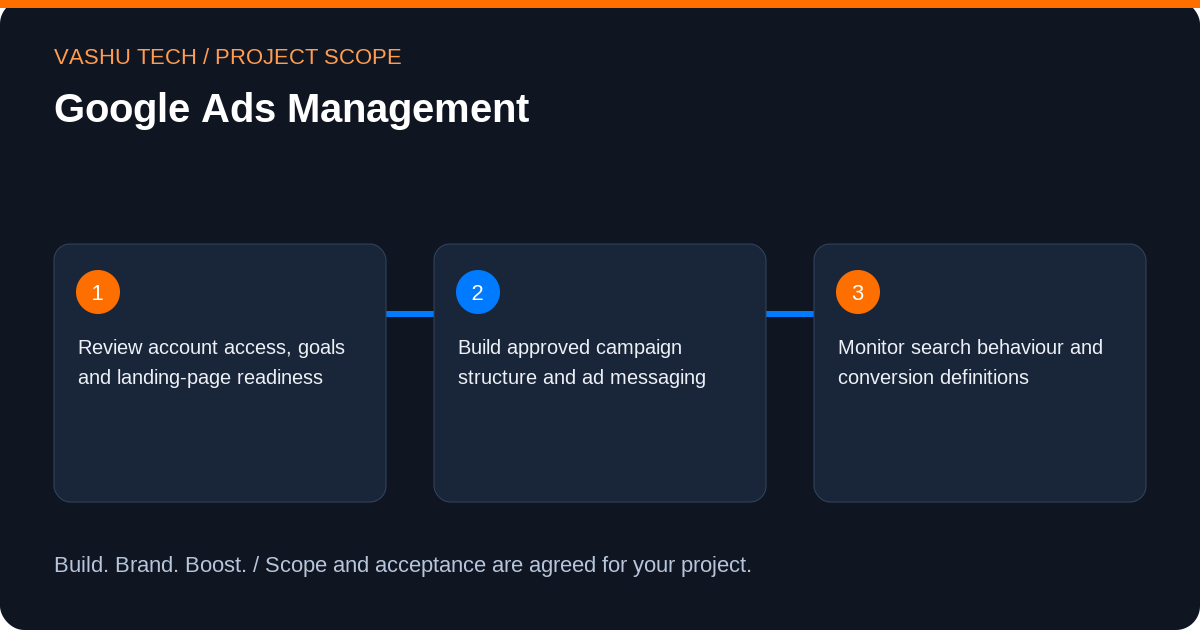
Use the Google Ads Management tasks as acceptance criteria: Review account access, goals and landing-page readiness; Build approved campaign structure and ad messaging; Monitor search behaviour and conversion definitions.
Choose the work relevant to your starting point. Final deliverables are agreed in your proposal.
For Google Ads Management, this stage covers review account access, goals and landing-page readiness. Agree the necessary inputs, intended output and review criteria before work starts.
For Google Ads Management, this stage covers build approved campaign structure and ad messaging. Agree the necessary inputs, intended output and review criteria before work starts.
For Google Ads Management, this stage covers monitor search behaviour and conversion definitions. Agree the necessary inputs, intended output and review criteria before work starts.
Broad targeting and mismatched landing pages can spend budget on visits that do not fit the intended service or action.
Platform approval, advertiser verification and policy rules can affect launch. Conversion tracking requires accurate definitions and suitable privacy handling. Results depend on demand, competition and the offer, not only account configuration.
Check the agreed Google Ads Management scope against representative examples. Confirm what is delivered, who maintains it and which follow-up tasks are separate.
Five practical stages from initial brief to reviewed handover.
Share the current situation, priority audience and the issue this Google Ads Management work should address.
Confirm review account access, goals and landing-page readiness, required inputs, dependencies and the agreed review points.
Carry out the approved scope, including build approved campaign structure and ad messaging, with changes reviewed against the brief.
Review audience, destination pages, approved creative and measurement settings. Advertising budgets and platform approval are separate.
Confirm acceptance of the Google Ads Management deliverables, ownership, documentation and any separately agreed ongoing support.
Confirm the included outputs before implementation; optional work is identified separately.
A written Google Ads Management brief covering the audience, current situation and priority: broad targeting and mismatched landing pages can spend budget on visits that do not fit the intended service or action.
Review account access, goals and landing-page readiness; Build approved campaign structure and ad messaging; Monitor search behaviour and conversion definitions.
Review audience, destination pages, approved creative and measurement settings. Advertising budgets and platform approval are separate.
Platform approval, advertiser verification and policy rules can affect launch. Conversion tracking requires accurate definitions and suitable privacy handling. Results depend on demand, competition and the offer, not only account configuration.
Check the agreed Google Ads Management tasks using real or approved representative examples, including relevant failure cases.
Confirm who maintains the result, how access is handed over and which improvements or support are outside the initial Google Ads Management agreement.
Choose the checks relevant to your Google Ads Management project; no ranking or business result is promised.
Where Google Ads Management affects public pages, organize accurate headings, service descriptions and useful links around the intended audience.
Review audience, destination pages, approved creative and measurement settings. Advertising budgets and platform approval are separate. Where applicable, include keyboard access, readable text and mobile interaction checks.
Agree how Google Ads Management work is evaluated. Separate implementation evidence from traffic, enquiries or sales, and configure analytics only where approved.
Discuss how Google Ads Management fits your audience, workflow and operational requirements.
Paid search connects queries with business offers.
Each campaign needs an explicit response goal.
Mismatched targeting and destinations can waste spend.
Assign responsibility for creative and destination changes.
Verification, policies and billing affect campaign readiness.
The approved ad should reach a working destination.
Separate media spend from management charges.
Share your account situation and priority offer. Request a scoped quote or contact Vashu Tech about a focused paid-search campaign.
Choose the offers worth promoting.
Confirm genuine geographic coverage.
Explain how staff qualify enquiries.
A repair business may want specific job enquiries.
Its destination must explain relevant service coverage.
Check links and enquiry actions.
Compare conversion settings with business meaning.
Record account structure and access.
Explain reporting definitions to the sales reviewer.
Queries can expose irrelevant incoming interest.
Avoid changing campaigns around isolated clicks.
Provide offer details and authorised account access.
Explain service restrictions and unavailable periods.
Contact clicks may not become useful enquiries.
Inspect follow-up before increasing spend.
Check consistency across ads and destinations.
Obtain budget approval from the responsible owner.
Define continuing management and creative responsibilities.
Campaign work cannot guarantee fixed sales results.
Audience, scope and coordination for Google Ads Management.
Businesses reviewing paid-search activity or preparing campaigns for a clearly defined service, product range or geographic market.
An agreed campaign structure, approved messaging, launch checks and a reporting approach that distinguishes clicks from useful responses.
Answers to help you plan the scope and next steps.
Approve platform billing separately from campaign management charges.
Review existing ownership and history before replacing any account.
No. Explain whether each event represents a click, enquiry or purchase.
Target locations where the business can genuinely fulfil the offer.
Only when destination development is included in the proposal.
No. Offer relevance and follow-up also influence response quality.
Share your starting point and priorities. We can discuss the scope, required information and acceptance checks before providing an estimate.
Start a conversation
Send your requirements to our team. Please leave out passwords and confidential access details.