
WordPress bug investigation separates core, theme, plugin, hosting and content causes. An error can appear after an update, on one page template or only for a particular user role. The service starts with reproducible behaviour and a backup so investigation does not put the live site at unnecessary risk. Corrective work should be scoped around the diagnosed cause rather than disabling unrelated features indefinitely.
Vashu Tech services
WordPress Bug Fixing
WordPress bug investigation separates core, theme, plugin, hosting and content causes. An error can appear after an update, on one page template or only for a particular user role. The service starts with reproducible behaviour and a backup so investigation does not put the live site at unnecessary risk. Corrective work should be scoped around the diagnosed cause rather than disabling unrelated features indefinitely.
Scope-ledYour requirements first
Clear estimatesBased on agreed work
Review pointsDefine acceptance checks
02
Understanding WordPress Bug Fixing
WordPress can provide editable pages and articles alongside extensions for more specialized requirements. The theme, plugins, hosting and update process all influence the finished website. A project may involve a new installation, a visual redesign, a builder layout or investigation of an existing problem. These are different scopes. Review licences, editor responsibilities and compatibility before selecting tools. Existing content and user records should be protected during changes, and backups should have a tested recovery path rather than being treated as an installation checkbox.
03
Problems this work addresses
A plugin conflict may present as a broken editor or form, while a server limitation can resemble a theme problem.
04
Work stages and practical deliverables
These stages describe the discussion scope for this service. The proposal should identify which outputs are included, the information required from you and any work that belongs to a separate agreement. Review points should make it possible to check the result against the original requirement.
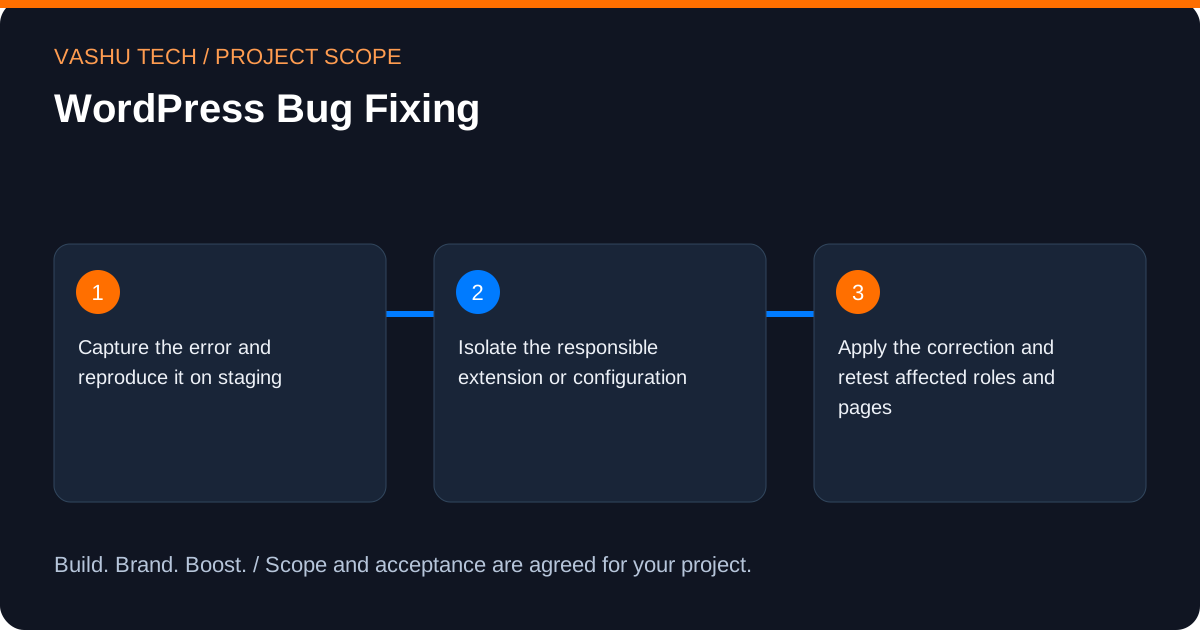
- Capture the error and reproduce it on staging.
- Isolate the responsible extension or configuration.
- Apply the correction and retest affected roles and pages.
05
Technical considerations and boundaries
Debug output must not expose sensitive data to visitors. Plugin deactivation can affect checkout or forms, so investigation needs controlled conditions. Some issues require vendor support or a version-compatible replacement.
06
Business value and acceptance
The practical value is addressing this specific difficulty: a plugin conflict may present as a broken editor or form, while a server limitation can resemble a theme problem. A useful result makes the relevant journey or operational responsibility clearer. Define the acceptance checks around apply the correction and retest affected roles and pages, and distinguish an implemented improvement from an unverified business outcome.
07
Pricing, timing and handover
An estimate depends on the existing environment, the amount of content or data involved and the agreed testing and access requirements. External licences, hosting and vendor subscriptions should be identified separately. Share any deadline and its dependencies so that feasibility can be assessed; this page does not promise a fixed price or delivery date.
08
Discuss your wordpress bug fixing requirements
Describe the current situation and the change you need. A public website link and a short explanation are enough to begin; arrange sensitive access separately. Request a scoped quote or contact Vashu Tech to discuss the next step.
09
Plan your WordPress Bug Fixing scope
Start with how your team will edit the website. Choose the necessary page types, content fields and integrations before selecting a theme or plugins. For an existing installation, the current editor, licences and compatibility constraints are part of the brief; a visual change should not unnecessarily disrupt a working publishing process.
For WordPress Bug Fixing, start by identifying the decision or workflow you want to improve. A plugin conflict may present as a broken editor or form, while a server limitation can resemble a theme problem. Select the tasks that address that requirement; the full category of work does not have to be included in every project.
Useful starting information includes the public website, current theme or builder, relevant plugin names, editing needs and an explanation of the affected page or feature. Public links and redacted examples are enough for an initial discussion. Account access can be arranged separately after the required permissions are understood.
10
A practical WordPress Bug Fixing planning example
Consider a business that updates services regularly but struggles to keep page layouts consistent. An agreed set of editable sections could make those updates easier while retaining approved brand choices. A plugin conflict or one broken form may instead call for a focused investigation.
Translate that example into a small, testable brief for WordPress Bug Fixing: begin with capture the error and reproduce it on staging, identify the inputs needed to isolate the responsible extension or configuration, and agree how to apply the correction and retest affected roles and pages. This is an illustrative planning scenario, not a client case study or a promised result.
11
Review and acceptance for WordPress Bug Fixing
Check both the public page and the editor workflow. Review forms, media, navigation and any agreed store features with representative content. Confirm that changes remain compatible with the relevant theme and plugins; update testing and licence responsibilities should be recorded separately.
Keep a short acceptance checklist alongside the proposal. For this scope, the review should include: Capture the error and reproduce it on staging; Isolate the responsible extension or configuration; Apply the correction and retest affected roles and pages. Record what was checked, which items remain open and who can approve the result. An implemented change and a business outcome are different things; neither enquiries nor sales should be assumed from a technical demonstration.
12
Handover and ongoing decisions for WordPress Bug Fixing
The handover can explain the editing workflow, theme and plugin responsibilities, licence ownership and the included maintenance arrangements. Agree who will approve updates and how future issues should be reported.
Before handover, agree who owns the accounts, approves public information and handles future changes. Any maintenance, additional content, third-party subscription or ongoing campaign management should be listed explicitly in the proposal. Share an essential deadline early so dependencies can be discussed before a delivery schedule is agreed.
13
Planning the right fit
Audience, scope and coordination for WordPress Bug Fixing.
Who this is for
Businesses evaluating WordPress Bug Fixing for a new requirement or an existing website. A plugin conflict may present as a broken editor or form, while a server limitation can resemble a theme problem.
Scope and deliverables
Capture the error and reproduce it on staging Isolate the responsible extension or configuration Apply the correction and retest affected roles and pages Scope, exclusions and acceptance evidence are agreed in the proposal.
14
Questions about WordPress Bug Fixing
Answers to help you plan the scope and next steps.
Should I deactivate every plugin on the live site?
Not without understanding the impact. Conflict isolation is safer on a staging copy with a verified backup and representative tests.
What should I share for a WordPress Bug Fixing enquiry?
Include the affected website or proposed project, the audience and the outcome you need. For this work, useful discussion points include capture the error and reproduce it on staging, isolate the responsible extension or configuration, apply the correction and retest affected roles and pages. Do not send passwords in the public form.
What affects the cost and timing of WordPress Bug Fixing?
The amount of existing work to inspect, the agreed deliverables, access readiness and testing requirements affect the estimate. Debug output must not expose sensitive data to visitors. Plugin deactivation can affect checkout or forms, so investigation needs controlled conditions. Some issues require vendor support or a version-compatible replacement. Ask for a scoped proposal rather than assuming a fixed package or completion date.
How is WordPress Bug Fixing work checked?
Acceptance should reflect the actual requirement: capture the error and reproduce it on staging; isolate the responsible extension or configuration; apply the correction and retest affected roles and pages. Check representative content and failure cases as well as the expected successful result. Agree the evidence and handover responsibilities before work begins.
What information helps scope WordPress Bug Fixing?
Bring the public website, current theme or builder, relevant plugin names, editing needs and an explanation of the affected page or feature. Identify your priority and which tasks you need: Capture the error and reproduce it on staging; Isolate the responsible extension or configuration; Apply the correction and retest affected roles and pages. Share public or redacted information first; arrange sensitive access separately.
What should be agreed at the handover for WordPress Bug Fixing?
The handover can explain the editing workflow, theme and plugin responsibilities, licence ownership and the included maintenance arrangements. Agree who will approve updates and how future issues should be reported. Confirm account ownership, approval responsibilities and any ongoing support separately from the initial work.
Discuss your requirements
Plan your WordPress Bug Fixing project
Share your starting point and priorities. We can discuss the scope, required information and acceptance checks before providing an estimate.
Tell us about your project.
Send your requirements to our team. Please leave out passwords and confidential access details.