
Requirements first
Overriding templates without tracking their version can create outdated checkout behaviour after updates.
WooCommerce customization adjusts a store's supported hooks, templates or workflows to a defined requirement. It can address product presentation, administrative operations or a specialized checkout field after compatibility review. This service is useful when standard settings do not match the business process. The customization should preserve core update paths and avoid hidden changes to order or customer data.
A clear scope, practical review points and communication around your actual requirements.
Overriding templates without tracking their version can create outdated checkout behaviour after updates.
For WooCommerce Customization, agree content ownership, access, approvals and the person who handles questions throughout the project.
Some requirements interact with payment, tax or fulfilment extensions. Confirm compatibility with the installed versions and document template overrides. Sensitive fields should not be added without a clear operational need.
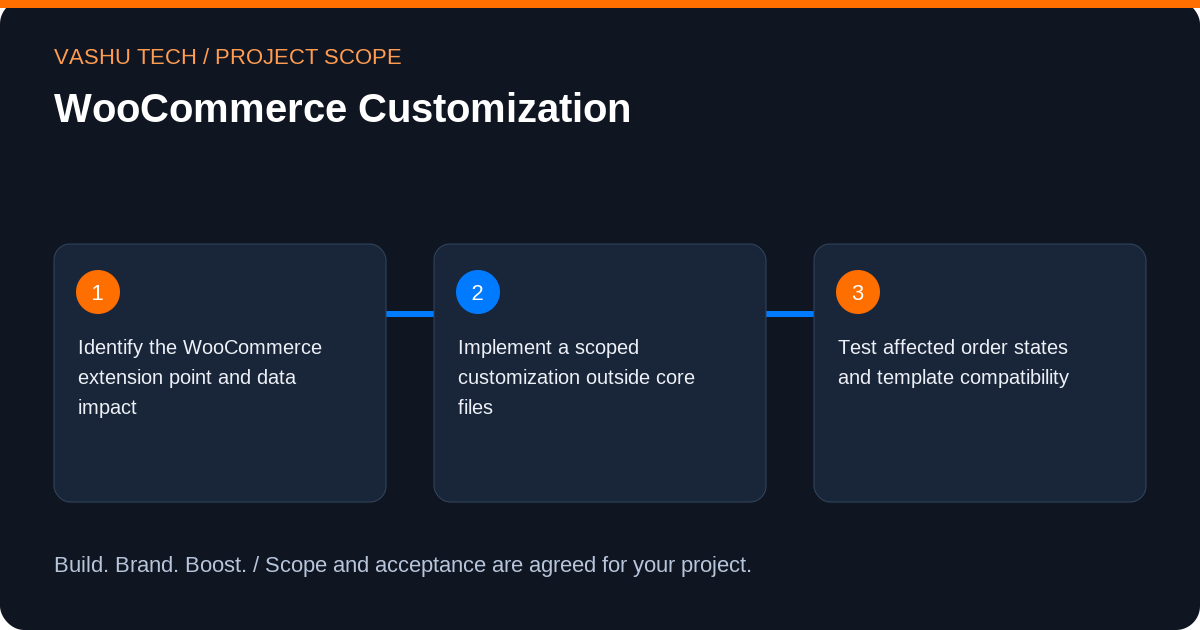
Use the WooCommerce Customization tasks as acceptance criteria: Identify the WooCommerce extension point and data impact; Implement a scoped customization outside core files; Test affected order states and template compatibility.
Choose the work relevant to your starting point. Final deliverables are agreed in your proposal.
For WooCommerce Customization, this stage covers identify the WooCommerce extension point and data impact. Agree the necessary inputs, intended output and review criteria before work starts.
For WooCommerce Customization, this stage covers implement a scoped customization outside core files. Agree the necessary inputs, intended output and review criteria before work starts.
For WooCommerce Customization, this stage covers test affected order states and template compatibility. Agree the necessary inputs, intended output and review criteria before work starts.
Overriding templates without tracking their version can create outdated checkout behaviour after updates.
Some requirements interact with payment, tax or fulfilment extensions. Confirm compatibility with the installed versions and document template overrides. Sensitive fields should not be added without a clear operational need.
Check the agreed WooCommerce Customization scope against representative examples. Confirm what is delivered, who maintains it and which follow-up tasks are separate.
Five practical stages from initial brief to reviewed handover.
Share the current situation, priority audience and the issue this WooCommerce Customization work should address.
Confirm identify the WooCommerce extension point and data impact, required inputs, dependencies and the agreed review points.
Carry out the approved scope, including implement a scoped customization outside core files, with changes reviewed against the brief.
Review product information, variants, cart behaviour, checkout and order responsibilities relevant to the agreed store scope.
Confirm acceptance of the WooCommerce Customization deliverables, ownership, documentation and any separately agreed ongoing support.
Confirm the included outputs before implementation; optional work is identified separately.
A written WooCommerce Customization brief covering the audience, current situation and priority: overriding templates without tracking their version can create outdated checkout behaviour after updates.
Identify the WooCommerce extension point and data impact; Implement a scoped customization outside core files; Test affected order states and template compatibility.
Review product information, variants, cart behaviour, checkout and order responsibilities relevant to the agreed store scope.
Some requirements interact with payment, tax or fulfilment extensions. Confirm compatibility with the installed versions and document template overrides. Sensitive fields should not be added without a clear operational need.
Check the agreed WooCommerce Customization tasks using real or approved representative examples, including relevant failure cases.
Confirm who maintains the result, how access is handed over and which improvements or support are outside the initial WooCommerce Customization agreement.
Choose the checks relevant to your WooCommerce Customization project; no ranking or business result is promised.
Where WooCommerce Customization affects public pages, organize accurate headings, service descriptions and useful links around the intended audience.
Review product information, variants, cart behaviour, checkout and order responsibilities relevant to the agreed store scope. Where applicable, include keyboard access, readable text and mobile interaction checks.
Agree how WooCommerce Customization work is evaluated. Separate implementation evidence from traffic, enquiries or sales, and configure analytics only where approved.
Discuss how WooCommerce Customization fits your audience, workflow and operational requirements.
Customisation changes a defined WooCommerce rule or interaction.
The brief should explain the exception to standard behaviour.
Uncoordinated plugin changes can create contradictory purchasing rules.
Large catalogue changes need a separate data-work agreement.
Payment, tax and delivery extensions can affect the implementation.
The custom rule should apply only under its agreed conditions.
Dependency complexity influences investigation and verification effort.
Provide a realistic example of the required store exception. Request a scoped quote or contact Vashu Tech about the WooCommerce customisation boundary.
Define which products or customers trigger the rule.
List the information the customer must supply.
Agree what staff need in the resulting order.
A personalised item may require an instruction before purchase.
The order should preserve the approved information for fulfilment.
Try missing values and ordinary products without the custom requirement.
Check relevant totals and the information retained after purchase.
Explain the controls associated with the new rule.
Identify who maintains affected extension licences and updates.
Prefer suitable hooks over editing the WooCommerce core.
Check whether retained extension settings already solve part of the requirement.
Share the active components relevant to the request.
Identify any previous custom code affecting the same action.
Two extensions may attempt to enforce different basket restrictions.
Trace their interaction before adding a third competing rule.
Review representative orders against the written requirement.
Confirm that staff can locate the custom information they need.
Later plugin updates can require compatibility checks.
New selling rules should be assessed against existing customisations.
Audience, scope and coordination for WooCommerce Customization.
Store owners adapting an established WooCommerce installation.
Defined store customisations and relevant purchasing regression checks.
Answers to help you plan the scope and next steps.
Use suitable extension points rather than changing core code.
Define the exact condition and supporting product data first.
Specify the fields, validation and staff visibility required.
Include representative purchases outside the custom condition.
Review that capability before introducing duplicate custom logic.
Updated dependencies may require a separate compatibility review.
Share your starting point and priorities. We can discuss the scope, required information and acceptance checks before providing an estimate.
Start a conversation
Send your requirements to our team. Please leave out passwords and confidential access details.