
Requirements first
Retries and out-of-order events can produce duplicate updates or overwrite newer information if the integration does not identify the source of truth.
Shopify integration connects the store to a supported application or an external business system. The work includes app permissions, API data models, event handling and the operational effect of synchronization. It is useful when orders, products or fulfilment information must move reliably between systems. The integration should have a defined owner and failure path before automated actions are enabled.
A clear scope, practical review points and communication around your actual requirements.
Retries and out-of-order events can produce duplicate updates or overwrite newer information if the integration does not identify the source of truth.
For Shopify App and API Integration, agree content ownership, access, approvals and the person who handles questions throughout the project.
API versions, rate limits and protected customer-data access may affect the solution. App installation must be authorized by the store owner. Production actions should be tested with safe sample data first.
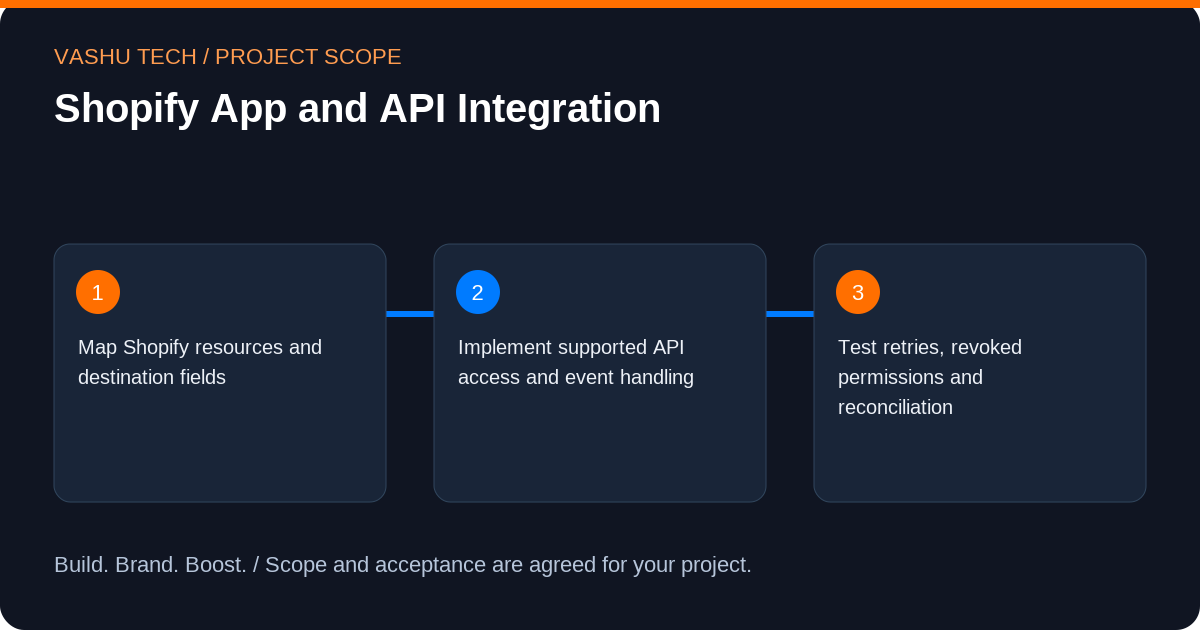
Use the Shopify App and API Integration tasks as acceptance criteria: Map Shopify resources and destination fields; Implement supported API access and event handling; Test retries, revoked permissions and reconciliation.
Choose the work relevant to your starting point. Final deliverables are agreed in your proposal.
For Shopify App and API Integration, this stage covers map Shopify resources and destination fields. Agree the necessary inputs, intended output and review criteria before work starts.
For Shopify App and API Integration, this stage covers implement supported API access and event handling. Agree the necessary inputs, intended output and review criteria before work starts.
For Shopify App and API Integration, this stage covers test retries, revoked permissions and reconciliation. Agree the necessary inputs, intended output and review criteria before work starts.
Retries and out-of-order events can produce duplicate updates or overwrite newer information if the integration does not identify the source of truth.
API versions, rate limits and protected customer-data access may affect the solution. App installation must be authorized by the store owner. Production actions should be tested with safe sample data first.
Check the agreed Shopify App and API Integration scope against representative examples. Confirm what is delivered, who maintains it and which follow-up tasks are separate.
Five practical stages from initial brief to reviewed handover.
Share the current situation, priority audience and the issue this Shopify App and API Integration work should address.
Confirm map Shopify resources and destination fields, required inputs, dependencies and the agreed review points.
Carry out the approved scope, including implement supported API access and event handling, with changes reviewed against the brief.
Review product information, variants, cart behaviour, checkout and order responsibilities relevant to the agreed store scope.
Confirm acceptance of the Shopify App and API Integration deliverables, ownership, documentation and any separately agreed ongoing support.
Confirm the included outputs before implementation; optional work is identified separately.
A written Shopify App and API Integration brief covering the audience, current situation and priority: retries and out-of-order events can produce duplicate updates or overwrite newer information if the integration does not identify the source of truth.
Map Shopify resources and destination fields; Implement supported API access and event handling; Test retries, revoked permissions and reconciliation.
Review product information, variants, cart behaviour, checkout and order responsibilities relevant to the agreed store scope.
API versions, rate limits and protected customer-data access may affect the solution. App installation must be authorized by the store owner. Production actions should be tested with safe sample data first.
Check the agreed Shopify App and API Integration tasks using real or approved representative examples, including relevant failure cases.
Confirm who maintains the result, how access is handed over and which improvements or support are outside the initial Shopify App and API Integration agreement.
Choose the checks relevant to your Shopify App and API Integration project; no ranking or business result is promised.
Where Shopify App and API Integration affects public pages, organize accurate headings, service descriptions and useful links around the intended audience.
Review product information, variants, cart behaviour, checkout and order responsibilities relevant to the agreed store scope. Where applicable, include keyboard access, readable text and mobile interaction checks.
Agree how Shopify App and API Integration work is evaluated. Separate implementation evidence from traffic, enquiries or sales, and configure analytics only where approved.
Discuss how Shopify App and API Integration fits your audience, workflow and operational requirements.
Shopify integrations connect store activity with another business tool.
The required exchange determines the interface and permissions.
Unclear ownership rules can create conflicting product or order records.
Custom application hosting may introduce separate operating responsibilities.
Available APIs and app permissions constrain the connection.
Accepted records should retain the intended relationship across systems.
Provider documentation and test access affect implementation effort.
Share the desired exchange and external service documentation. Request a scoped quote or contact Vashu Tech about the Shopify connection requirements.
Identify the authoritative source for each record type.
Choose whether the exchange is requested or event-driven.
Define how operators recognise a failed transfer.
An order event may trigger a fulfilment-system update.
The receiving record needs a stable store order reference.
Check the request data and destination result.
Try repeated events without duplicating the agreed business action.
Record the permissions and accounts needed after launch.
Explain how the responsible person investigates connection errors.
Webhooks can notify a connected service about supported store events.
The implementation still needs validation and appropriate processing behaviour.
Provide documentation and a safe testing arrangement where available.
Name the merchant and external-service account owners.
A notification may arrive again after an earlier processing attempt.
Decide how the specific operation recognises an already-handled event.
Compare relevant source and destination record values.
Inspect failure reporting without exposing access tokens to users.
API version changes can require later compatibility work.
Ongoing monitoring and external subscriptions need explicit ownership.
Audience, scope and coordination for Shopify App and API Integration.
Merchants connecting Shopify to an external operating tool.
Agreed integration behaviour, field mapping and operational guidance.
Answers to help you plan the scope and next steps.
Compare supported features and operating requirements before choosing.
Access depends on the documented interface and authorised permissions.
It can notify a service about a supported store event.
Define and test suitable duplicate handling for the operation.
Assign billing and continuing access to the appropriate business owner.
Version reviews and ongoing monitoring need explicit agreement.
Share your starting point and priorities. We can discuss the scope, required information and acceptance checks before providing an estimate.
Start a conversation
Send your requirements to our team. Please leave out passwords and confidential access details.